- Overview
- Transcript
About the Webinar
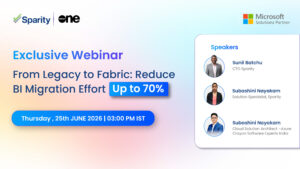
Join us for an engaging session on why organizations are moving from Alteryx to Microsoft Fabric Data Factory (FDF) to simplify data integration, improve scalability, and reduce costs. We’ll explore the key business and technology drivers behind the shift, walk through the migration process, demonstrate a sample migration assessment, and showcase a live migration from Alteryx to Microsoft Fabric Data Factory. The webinar will conclude with real-world examples of how organizations have reduced migration effort and costs by up to 70% through automation and proven migration accelerators.
What You’ll Learn
Webinar Alteryx to Microsoft Fabric Why Organizations Are Making the Shift-20260805_002628-Meeting Recording
August 5, 2026, 6:56PM
Subashini Nayakam
I’ll quickly introduce myself. I am Subashini, and I’m a solution specialist at Sparity. And later in today’s session, I’ll be walking you through a live demonstration of Setu. And
Okay, let’s get started. So welcome to today’s webinar on Alteryx to Microsoft Fabric migration using Setu, Sparity’s one-stop migration accelerator. And thank you all for taking time to join us today. We know everyone has busy schedules and we are excited to have you here.
So…
Let me quickly.
introduce our speakers for today’s session. First, we have Sunil Batchu, our Chief Technology Officer at Sparity. Sunil has been leading Sparity’s innovative initiatives around data, AI, and cloud modernization. And then
Joining him is Ryan Adams, Principal Program Manager at Microsoft. Ryan works closely with partners on Microsoft Fabric and Modern Data Platform Solutions. We are really excited to have both of them with us today, and I am sure…
you will gain valuable insights from their experience. With that, let’s quickly take a look at Sparity before we dive into today’s demo. So let’s move on to the second slide.
At Sparity, we help organizations accelerate their data and AI modernization journey through consulting, engineering, and innovative solutions. We are proud to be Microsoft solution partner for cloud and AI, reflecting our strong expertise in the Microsoft ecosystem.
Today, we support customers of all sizes across industries through our global delivery model backed by Microsoft Fabric certified engineers and a growing portfolio of modernization accelerators. And beyond Microsoft technologies, we also bring expertise in platforms like
data bricks to support end-to-end data transformations. And with our certifications, ISO certifications, we are.
committed to delivering secure, high quality solutions to our customers and so that they can trust us. And let’s move on. So that gives you a quick overview of who we are, but you might be wondering.
what kind of solutions have we built to help clients on their modernization journey? So let’s take a look at some of Sparity’s key accelerators. Setu, starting with Setu, which is the focus of today’s webinar. Setu helps organizations migrate
their Alteryx workflows to Microsoft Fabric faster with significantly less manual effort and making the modernization journey much smoother. So, and then we have BI Port, our BI migration accelerator. It helps organizations.
move reports and dashboards from platforms like Tableau, SAP Business Objects, and Jasper to Power BI quickly and efficiently. And then we also have Sanjay, our AI observability solution. As AI adoption continues,
to grow. Sanjay helps organization keep track of AI usage and monitor performance and helps manage the costs as well. Next, we have data lineage, another accelerator. It provides a clear view of how data flows across different systems.
making it easier to understand where data comes from and how it is being used. And finally, we have our unified semantic builder. It helps organizations create a single consistent view of their business data.
making reports more reliable and ensuring everyone works from the same information. So with this overview, I would now like to invite Ryan Adams to share his perspective on Microsoft Fabric, the evolving data platform landscape.
and how organizations can accelerate their modernization journey. Ryan, the floor is yours.
Ryan Adams – 11:20
Thank you. Good afternoon, everybody. So I just want to kind of walk through an overview as you start to look toward moving toward Data Factory. What are some of the things that Data Factory can be advantageous for you to be able to look at moving toward and why you might want to do that?
The first one is just modernization. So we’ve got a handful of things that are available in Fabric Data Factory that are not available in any of the other offerings that Microsoft has on any of our platforms. We’ve got things like Copilot built right in to help you with your development and speed development. We’ve seen a great reduction in errors.
and being able to develop things quicker and faster by using Copilot. We’ve also got things like copy job, we’ve got things like mirroring, so we’ve got a lot of really neat things built into Fabric Data Factory to help you with your data integration journey.
The other nice thing here too is we do have predictable budgeting. So there’s a lot of other products out there that are quite variable in how they are priced. Whereas here, because we’re basing them on a capacity, your cost is the same month over month. So it makes it much, much easier to be able to budget for
what your cost is going to be for your ETL platform.
This also helps reduce complexity because you’re starting to move the data onto a platform that has a bunch of other tools and things built in to help you manage it end to end. What this does is it avoids what I like to call the Frankenstein’s monster situation, right? I’ve gone out, I built this monster because I took apart from here and I took apart from here and then I kind of had to stitch them all together.
And they weren’t really ever designed to work well together, whereas here you’re moving to a platform that can handle your data all the way from ingestion, transformation, all the way into AI, and have that all in one single platform that is all designed to talk to each other, so we don’t have to do all the stitching of these things together and the complexity that comes with that.
It really makes things much easier. We also have CI/CD fully built into Fabric Data Factory with integration into Azure DevOps and Git. So when it comes to being able to get things out faster and done quicker, we’ve got all that built right into Fabric Data Factory for you.
Data Factory is a best in class ETL. A little bit more on that in the next slide. But as we start looking at customers that are considering moving over here, the other two pillars, and I’ll start with the one in the middle, were some common misconceptions and themes that we started to find. And the first one was, the thought was, well, if I go to Fabric Data Factory, that means that I’m now locked into Fabric, right?
That means I have to use all the other stuff that you guys keep talking about inside Fabric, and that’s actually not the case. There’s no dependency on any other Fabric workloads, so you do not have to use Spark inside of Fabric, you don’t have to use real-time intelligence, you don’t have to use AI, you don’t have to use any of those things.
all you want to use is Fabric Data Factory by itself, you can absolutely do that. There’s no dependency on any of the other workloads inside of Fabric.
The other thing we started hearing was, well, that also means that I have to land all of my data in OneLake. And that’s actually not the case either. If you want to use Fabric Data Factory to move data from AWS to GCP, you can absolutely do that. You want to move it from on-prem to Snowflake, you can absolutely do that. So there’s not a dependency to actually land the data in OneLake. We think that once you start playing with the product, you’ll find that it is advantageous to do that, but that’s absolutely not a requirement.
If you’re really just wanting to be able to move that data around between whatever your source and destination is, we know that a lot of our customers are adopting multi-cloud platforms. They’re looking at bi-directional movement of data, and these are the things that we’ve built into the product to help enable that.
I talked about best in class ETL, and this is just a snapshot from the Magic Quadrant from Gartner that they put out. And you’ll notice that Microsoft, of course, is up here toward the top right as far as completeness of vision, ability to execute. We have continually landed in this top right quadrant of
the Gartner Magic Quadrant.
So as we look toward enabling folks for bi-directional and multi-cloud designs, there’s a lot of things inside Fabric Data Factory we have to help enable that. So we’ve got shortcuts that allows you to do data virtualization, so you don’t even have to move the data if you don’t want to. You can actually just shortcut to storage. We’ve got mirrorings if you want to bring the data in very easily and just
worry about, especially this works really great if you’ve got an ELT pattern. I want to extract it from the source, I want to land it inside a fabric, and then I want to be able to do the transformation later on the larger datasets. As we start to move more toward that pattern, mirroring fits really, really well in that particular scenario. And then we’ve also got something fairly new. It’s not super new, maybe nine months old now. And if you’ve used Fabric Data Factory
You’ll notice that the wizard that automatically walks you through creating these things, it actually defaults to copy job now, not copy activities. So we’ve got a lot of really neat tools here. Tons of connectors, literally hundreds of connectors. You’ll notice that I have quite a small sampling of them on this slide. I’m not going to burn that down.
But you’ll also take a note that the vast majority of the things on this list, they’re not Microsoft-owned.
We want you to be able to connect to and copy data from and copy data to whatever your sources and destinations on. We’re adding more all the time. Some of these are only sources, so we’re adding them as destinations and including that as we go, as time goes on as well. So we definitely want to be able to hear back from our customers about the things that are important to them, the systems that are important to them so that we can enable those.
But even this list here is just a very small sampling of the things that we support. So you can connect to all kinds of stuff to move your data, how you need it and where you need it.
Now, once you do get the advantage of using Fabric Data Factory, even though you can use it standalone, there’s a lot of other things inside Fabric that make this really advantageous as a platform. Everything is software as a service, so it’s very easy. I don’t have to worry about the Frankenstein monster situation, stitch all these things together and just hope that they work, and this isn’t compatible here and that’s not compatible there.
Everything is all built in software as a service. We don’t have to worry about all of those complexities. It really reduces that complexity A lot.
Everything is lake centric and opens. If you decide to land stuff in Fabric inside of OneLake, we land everything as delta in an open data format by default. We also support Iceberg. We do automatic metadata translation there as well. So we can land all of that in an open data format inside of OneLake.
We’ve got a lot of nice integrations with Office 365. So there’s a handful of things there, like I run a pipeline, and if it fails, I want to get notified by e-mail or I want to get notified by Teams. Instead of having to work that into another product, having to call APIs and stuff in order to get those notifications and make it work, it’s actually built right in.
So it’s super easy. It’s just a can full of clicks and say, hey, look, if this thing succeeds, if it fails or just completes, ping me on Teams, ping a group on Teams, shoot me an e-mail to this distro list. So it’s all built in and very easy to use. And then of course, as it comes to AI and we start to move into this new AI type era,
AI is only as good as your data. You’ve got to get your data in, you’ve got to get your data clean, so you need to be able to have this in the proper format. Trash in, trash out. We’ve got to get good data in, clean data in, in order to gain proper business insights out of this. And now how I try to break this out of my mind as far as what AI is, because it’s a little confusing about AI.
implemented inside Fabric and just the Azure ecosystem in general, is I try to break it into three different buckets in my mind. And it just makes it a little bit easier to understand to me. The first one is Copilot. Now, Copilot is, I’m trying to develop something. It may be a pipeline, and I want to use natural language and tell it what I want the pipeline to do.
Maybe it is, I need to write PySpark, I need to write T-SQL, whatever it is, whatever you’re developing in, we have a copilot there to help you.
But it’s very narrow, right? It is designed so that, like, if I’m going in and I wanted to…
get some insights on my sales. And I live in Texas, it’s pretty hot here right now. Nobody’s buying a coat right now. It’s not happening. Shorts, yeah, they’re probably going to buy some shorts. So if I go in, I know that my sales data should show me that shorts sell better during the summer. But if I ask Copilot that on my data set,
That’s not what it’s going to tell me. What it’s going to do is it’s going to come back with a query that is, select this from this table, where this. So it’ll help me develop the code to get the answer that I need, but not actually give me the answer. Now, if I execute the code, it should give me the answer, of course, because I’m querying my data at that point. But this is really designed as a development tool.
It is inside Fabric. There’s A copilot inside every one of the experiences that we have here to help you develop things much quicker, to get insights from your data faster, to create your pipelines faster. It makes life a whole lot easier. But you don’t have the ability to say, pick the large language model. A lot of those things you don’t get the opportunity to handle because it’s not designed for that.
We also have the second bucket, which I will say is Data Agent. Data Agent is designed to actually give me that answer. So instead of giving me a query as an output when I want to know what sells better during the summer, it’s going to tell me that shorts sell better during the summer. It’ll actually tell me shorts. But what’s really cool about the Data Agent is that I can build it based off a data warehouse, a lakehouse.
Event House, real-time intelligence, a semantic model. There’s all kinds of sources that I can use to feed this data agent to be able to chat with and get this agentic experience out of Fabric. Now, I still don’t have the full autonomy to build out and choose my large language model and those types of things, but what it does do is make it incredibly fast and easy.
to be able to talk in natural language and expose that to get insights on my data and get a natural language answer as opposed to a code answer. That’s the second bucket. The third bucket is, okay, now I really need the full autonomy to build a custom agent. I need to define the large language model and all these other options and settings.
You can do that in Azure Foundry, and you can actually use a data agent inside Fabric as the source for the agent you’re building custom inside Foundry. So as we kind of think about it left to right, Copilot, Data Agent, and then AI Foundry, the ability to customize across that becomes greater as you move to Azure.
AI Foundry, whereas Copilot is more designed for the development, and then if you just want natural language, you can use Data Agent. So those are kind of three buckets that I put it in when I think about how AI is built and able to be used upon my data when I land it inside Fabric.
We have hundreds and hundreds of connectors. If you want to be able to do ETL, if you have more of an ELT pattern, you want to be able to pull stuff, you’ll see Dataverse, Salesforce, Oracle, Amazon S3, SharePoint, all kinds of cool stuff over on the left. It’s just a very, very tiny sampling of things and be able to transform that data.
or land that data wherever you need to. We have all kinds of sources and destinations that you can use to be able to get the data where you need to get it.
Now what about the whole price and performance of all this stuff? Because that’s always in the back of your mind, right? As we try to balance technology and cost. So from a price performance standpoint, I mentioned earlier that we have capacity-based kind of pricing here, which is nice because it means that I know that whatever size capacity I buy, that’s exactly what I’m going to pay month over month.
Sure, you can increase it, you can decrease it, but if you leave it exactly the same, that cost isn’t going to change. You know exactly what it’s going to be.
The other nice thing that we can do to help reduce costs is we can reduce both the operational overhead, but also the compute cost by using mirroring. I’m going to talk about that on the next slide here in just a second, so I’ll come right back to that. Pipeline run costs, we don’t charge for that here. So if you’re used to other products and things, even some of our own previous products, we don’t.
do any per pipeline run cost here, right? It’s all based upon consumption and CU usage. And then, of course, same for integration and integrating all those things together. Now, one of the really cool things, as I mentioned mirroring here, is if I want to get data in, mirroring is a really super easy way to do that.
And this is actually kind of a triple bonus here. There’s no cost to this. And there’s three places where cost gets removed. The first is storage. Whatever your FSKU capacity is, that capacity cost we talked about earlier, whatever that SKU number is, is how many terabytes of storage you get. So if you go out and you buy an F4,
then you’re going to get 4 terabytes of storage for free. If you buy an F128, you get 128 terabytes worth of storage for free. You don’t pay for that at all.
You also, if you’re going to ingest data like this, there’s also two other things that come into play, and they both have to do with capacity and the utilization of compute. In order to ingest and copy data in, that requires compute. We do not charge for that. That’s completely free.
Once you use it to do the ingestion, because we’re landing the data in an open data format for you, there’s also compute required to transfer and translate that data and transform it into the delta format. We don’t charge for that either. That’s also free. So there’s a kind of a triple threat.
cost here. So there are things that you may have been doing in other tools, Alteryx, those types of tools that you were having to pay for as you brought that data in, you might be able to convert that over to mirroring and now all of a sudden there’s no cost for it at all and completely remove the cost. So there’s a huge bonus factor here to this. So this is something you should definitely be taking a look at.
Talk to Sparity, talk to our partner here about how they can help enable you to be able to utilize this to help reduce your costs as you’re able to continually move data into Fabric using Data Factory.
If you’re looking for more of a transformation and I want to be able to get the data in and transform it, but a low code, no code type scenario, we’ve got Data Flow Gen. 2 inside Fabric. The previous generation is what you’re looking at here that is kind of the teal color, and these are two different benchmarks we’re looking at.
The yellow is DataFlow Gen. 2. And it’s pretty obvious that from a, this is runtime in seconds, that it is drastically faster in Gen. 2 than it was in Gen. 1. The other thing to note here, though, is if it runs faster, that also means there’s less compute required.
which means the cost is less. So this is something that we’ve just built in automatically. There’s nothing special that you have to do here to take advantage of this, but this is just some of the iterative approach that we have taken to enhancing and making things better and more efficient over time inside of Fabric.
So that kind of brings me to the end there. So you can kind of see some of the advantages of Fabric. So I will hand it back over to you and let us talk to Sparity and see some of the acceleration things you guys have to help us make that migration easier.
Subashini Nayakam – 27:10
Yeah. Thank you so much, Ryan, for those valuable insights into Microsoft Fabric. It was a fantastic session and it was great to see how Fabric is bringing together data integration, intelligence, automation, and AI-powered capabilities into a unified platform.
that helps organizations turn data into business value. We really appreciate you sharing your expertise with us. Now, I would like to hand it over to Sunil, who will share Sparity vision and how our accelerators are helping organizations modernize their data landscape.
and simplify migrations and accelerate business outcomes. Over to you, Sunil. Thank you.
Sunil Batchu – 27:57
Yeah, thank you, Subashini, and thank you, Ryan. That’s a great foundation on just how powerful Fabric has become as a unified platform. Right now, I want to build on top of that and bring it back to your question. A lot of you are probably sitting with it right now.
If the fabric is this, why are so many organizations still running on the critical workflows on legacy platforms? Might be, for our case, might be Alteryx, right?
And what does it actually take, make the move, right? Those are the critical questions that I am going to answer today. And I am Sunil, I am Chief Technology Officer at Sparity. And over the next few minutes, I want to walk you through why companies are migrating from Altix to Fabric, right?
Now, the challenges that typically derail these projects and how we have built an accelerator called Setu, specifically to get ahead of those challenges. And once we have covered that, I will hand the things back over for a live demo so you can see it in action and you can believe it.
So can we move on to the next slide?
Yeah, the legacy stack is standing, isn’t standing still, right? Every quarter you wait, it quietly compounds the cost, the risk, and the dependency. And I want to walk through four forces driving this.
The first one is like obvious thing, it’s cost.
And all this cost, like licensing rate, it is price per seat, as Ryan just was mentioning, then.
Fabric, right? It trips the model entirely. You don’t pay for number of, you know, per user at every renewal cycle, right? It doesn’t climb up.
You pay that for the compute in fabric and actually you consume less and with Gen. 2 as Ryan showed, it is coming lesser and lesser year by year, right? It’s not for how many people you are logging in. That’s the first cost.
Yeah.
Second is talent pool, right? All that specialists.
Getting them harder in the market.
So it’s more expensive to hire every year on year. And whereas it comes to the other side, like Fabric, Power BI, other areas, right? Like it is, you know, Microsoft and other partners like us creating enough talent pool in the market.
so it can pick up it faster.
The third one is the risk. The most organizations running Alteryx at scale have hundreds of workflows built by individual analysts, living on individual laptops with no documentation, no audit trial. That’s not a hypothetical governance risk.
For many of you in this room, it’s already sitting in your environment today.
Right, and the 4th one is like, uh, you know, the platform consolidation.
Your data preparation, your storage, your visualization, likely leave in three disconnected tools. Fabric brings all of them under one governed roof, right? So that is what, like, you know, 4 factors that are making, you know, the difference. So the pressure is to modernize.
Modernize is real and it’s not going away, but here is the Harish pawar.
Most organizations that attempt this migration run into the same set of problems. Let’s talk about those.
Yeah, can we move to that slide, please?
If you have been part of the migration journey, any migration journey before, some of these going to be very sounding familiar for you.
The 1st and the most common failure is underestimated effort. Most teams scope this as straightforward tool swap. It isn’t. It is a real architecture exercise. And treating it as anything less is where the budgets and timelines start.
Oh, unlevel.
The second one I want to bring to your notice is the macros and custom tools. Alteryx batch and interact iterative macros, right? Simply don’t have one-to-one equivalent in fabric. Every one of them needs to be reengineered, not just converted.
And the next one I would like to bring to your notice is the hidden business logic. There is tribal knowledge embedded in the workflows that nobody has ever written down in documents that is not passed on. When the person who built this workflow leaves the company, that knowledge often leaves with them.
And similarly, we have challenges like data source sprawl or like the validation burden and change to resistance. These are common things that any migration project will face. And you know, this is exactly the set of problems we are building with Setu.
to solve.
Let me show you how.
Next slide, please.
Setu is Sparity purpose-built accelerator for Alteryx to Microsoft Fabric migration for now, and we are going to add more and more such ETL tool migrations. It isn’t a generic ETL tool, right? Every part of it was built around the sixth.
Failure points we just talked about.
It starts by scanning and inventorying your entire Alteryx workflow state automatically, so there is no manual discovery effort and nothing gets missed. Don’t worry if you don’t have you don’t give the access, we just need the meta files, right? Metadata files.
of different types which my team is going to show you during the demo.
It then classifies every single workflow by migration complexity, simple, medium, complex, super complex, before anyone commits to a timeline and a budget, right? It detects recurring patterns across your workflow portfolio. So common logic is migrated once and reused everywhere it up.
price. This is where the majority of the effort and cost savings actually comes down.
And it produces a differentiable effort and cost model tied to actual workflow complexity, not industry rule of thumb multiplier, right? That’s a vendor pull from a past project with different clients. Beyond these mechanics, what really changes?
is how confidently our leadership team can make that go or no go call, right? Let’s look at that. How Setu sharpens the decision making and we’ll see that in a minute, in the next slide.
Yeah.
We do the assessment first, right? Like that migration turns a vendor estimate into data backed business case. And it happens in four steps. We assess first. You will get full workflow inventory, complexity score before any timeline is committed. It’s not a guesswork. No promises made on fail.
It’s data-driven.
And the next part is automation percentage, right? Will upfront tell you, like, okay, what is that you are getting as automated? What is that manual effort is required? So it’s not a black box, it’s a transparent thing. And next one is like the cost model.
We are going by workflow wise model. No matter what the workflow size is or whatever the complexity, it is fixed for you. So there is no change whether it is, you know, has 10 tools, 20 tools, or 30 tools in the workflow.
Once we decide complexity, overall complexity, we are sticking to that one. This is where like your CFO and your procurement team loves that. And the end result is facing a phase-wise plan or go no go recommendation from the assessment, right?
This is what, like, you know, the you can present to the board, and you know, just not on faith. So, the next one, please.
So what does this mean, right? Like if you are a CIO, this is about the board defensibility, right? You get a de-risk
assessment driven migration instead of a vendor’s trust us kind of estimate, right? Every implementation is different. So the previous experience might work to some extent, but it’s like, you know, you need to go with the data-driven.
You get a cost model that survives the budget scrutiny and you get one governed platform instead of scattered tools sitting outside your control. And if you are a director, this is about the delivery predictability. You get a phase roadmap tied to actual complexity, not guesswork. You reduce your dependency on shrinking pool of Altix talent.
And you get a clear before and after governance model. You can report upward with conference. And if you are a manager, this is about protecting your team. Business logic is preserved, not just the easy workflows. Scoping is accurate.
So your timelines aren’t padded or guessed. And change management is that support what we give is built into this transition from the day one.
So that’s what like I would like to let us go into the demo without wasting much view here and let’s jump into that demo.
Subashini Nayakam – 39:01
Thank you, Sunil, for those valuable insights into Sparity Vision and Sudipta. It’s great to know how we are helping organizations modernize their data landscape and automate complex migration process and accelerate their transformation journey.
So we really appreciate you sharing your expertise with us. So without any further ado, let’s quickly jump into the platform and see how Setu helps simplify an alteryx to Microsoft Fabric migration.
As Sunil mentioned, Setu is our one-stop migration accelerator. So let me show you what that actually looks like. We have two ways to get started. We can either connect directly to an Alteryx environment using credentials or simply upload.
The workflow files for today’s demo, we have already uploaded workflows that represent a typical enterprise Alteryx environment. So, once the upload is complete, the first screen we land on before we migrate anything, Setu first helps us understand.
what we are actually working with. So right at the top, we get a quick snapshot of the environment. It shows the total workflows that are present in the environment. Here it says 2000, 2,284. And then we have so many saved hours.
And Setu also can give us the overall complexity of the environment. And like it, we are able to see there are 256 unique tools. And out of those, 47 are currently supported by Setu.
The remaining ones are mostly custom macros, which are usually built specifically for a customer’s business. So they naturally require a bit more attention during migration. So.
And it also, in one screen, we also get to see how many duplicates are present within these workflows. As we scroll down, the picture becomes even clearer. We can see how the workflows are spread across different projects and which tools used.
are used most often and how the complex, how complex these workflows are. So this is really useful because it helps us understand where the migration will be straightforward and where we might need a little more planning.
And another section I’d like to highlight is automation distribution. So Setu automatically categorizes workflows based on how much of the migration can be automated. If all the tools are supported, it is classified as automated. If there are only few unsupported tools, like less than four, it becomes semi-automated.
So anything beyond that is categorized as manual. So even before starting the migration, we already have a good idea of where the effort is involved. So now here’s something interesting. Across this environment, we are looking at more than…
166,000 tool instances. Out of those, over 150,000 are already supported, leaving only around 14,000 that require manual handling. So even though we support 47 distinct tools, those happen to be the tools customers use.
use the most. That’s why Setu is able to automate more than 90% of a typical migration. And as the migration progresses, this dashboard also helps us keep track of everything that’s happening. We can easily see what is completed, what’s currently in progress, and what’s still pending.
It gives both customers and the migration team a single place to monitor the overall progress. So before we have even migrated even a single workflow, Setu has already helped us understand the landscape and plan migration.
much more effectively. So now that we have good understanding of the overall environment, let’s see how the migration flow looks like. So before we bring it in into Setu, let’s quickly look at the original Alteryx workflow.
So this is a pretty typical Alteryx workflow. We start with a couple of input files, perform typical transformations like some joins, and then we added some filters, and then we bring in another input, apply a few more transformations,
and then read the files, and then we gave another input, which is from directory, and then we used a couple of default macros, and which finally generates a single output file. So there’s nothing unusual here. It’s…
exactly the kind of workflows many organizations have today. So let me quickly run this. And once the workflow completes successfully, we should be able to see the output. So the output, yeah, it returns 14 records.
and multiple fields. We’ll keep that output in mind because we will compare it after the migration. Now let’s switch back to Setu and see how it handles this workflow.
So here, now that we have looked at the original workflow, we will upload it. It’s quite straightforward. We simply select the workflow file.
And within few seconds, Setu analyzes it and it gives us the complexity. So rather than manually studying the workflow first, Setu does that for us and gives us a clear understanding of what we are about to migrate.
So once the analysis is completed, the first thing I’d like to show you is the lineage. If we open like lineage, we get a visual representation of the workflow and from start to finish. Instead of tracing every connection manually, we can instantly understand how the data flows through the workflow from input files.
Through each transformation, all the way into the final output, especially for larger workflows, this saves a significant amount of time. Now, let’s take a closer look at the workflow itself. So, let’s click on the workflow. Here, we can review all the tools involved.
The sequence of transformations.
And even before migrating anything, we have all the details. Like it shows there are four input files and one output file. And it also shows us there are two macros. And since this is an uploaded file, it shows us when the file was uploaded with date and timestamp.
But if we are directly connected to the Alteryx server, it shows us the last runtime of this particular workflow. So once we are happy with the analysis, we are ready to do actual migration. So Seitu supports multiple Microsoft data platforms, including Azure Data Factory.
and Microsoft Fabric, and then Notebook, which can be used in multiple platforms. For today’s demo, we will choose Microsoft Fabric. From here, all it takes is a click on Generate, and then Setu automatically creates the Fabric asset for us.
So there’s no need to manually rebuild the workflow from scratch. And the next step is deployment. Traditionally, we generate the file, download them, and then manually upload everything into Microsoft Fabric. But with Setu, the extra step simply goes away. We can deploy directly from the application.
into the selected Fabric workspace, making the whole process much quicker and much faster. So once the deployment is complete, let’s quickly navigate to Fabric.
And let’s try to locate the file.
And I forgot to mention the output file usually has the same date and time stamp when we actually migrated. So that’s when if the, we can directly copy it from here and then paste it in the search and we should be able to locate it.
Sorry.
So the first time the file loads, it may take a few minutes, but after that, the navigation is usually smooth.
So what we are really checking here is whether the migration field produces the same output. So here we are connecting the data source from the data lake.
So, once we are able to connect to our input files.
It is performing the transformations and it will give us the output file once all the transformations are done.
So.
Like you can see, we already have 14 records. Now let’s validate the data. Let’s pick transcode.
Colin.
Yeah, and randomly pick some code and its corresponding rate. And let’s go back to Altrix and see if we are able to get the same, validate the data.
So like you can see, everything looks the same. The output file, yeah, probably the sort order might be a little different, but we have the output file exactly like how we got in Altrix.
So in other words, we are making sure the business logic has been preserved after the migration. So now that the migration flow is done, let’s move on to rationalization. So migration isn’t, let’s go back to Setu. So migration isn’t always about.
moving everything. Sometimes the bigger opportunity is…
identifying what doesn’t need to be migrated at all. That’s where Setu’s rationalization capabilities come in. For example, duplicate analysis helps identify workflows that may no longer be required, allowing customers to clean up their environment before they migrate.
So the duplicate analysis is basically where you have a source file and the target file and it makes sure the input file names are same and the workflow is in the same order. If only if everything is 100% matched, that is when Sudipta identifies.
it as a duplicate.
And then finally, Setu also helps simplify the deployment environment itself, whether you want to create a new fabric workspace or deploy into an existing one. Those configurations can be managed directly within Setu. So from
Analysis all the way through deployment, everything happens in one place, and with that, we have reached the end of the demo. Hopefully, this gives you a good idea of how Setu simplifies the migration journey from understanding the existing.
Alteryx environment to analyzing the workflows and generating fabric files, deploying them, and validating the results. With that, I’d like to thank everyone for joining us today. We’d be happy to take any questions, you know, happy to answer them for you.
Yeah, so we have some some of the most common questions we get during our, you know, when people see our tool. So I’ll, this is one of the most common questions we get. So how do you handle Alteryx?
components that have no clean fabric equivalent? And is it possible to show a gap analysis on actual workflows?
So this is one of the most common questions.
Sunil Batchu – 53:46
So, Subashini, let me take that one.
Absolutely, there are like, you know, no one-to-one, you know, mapping right, like from the Altix to from Fabric; these two are two different platforms, so when there is not some equivalent, you know, tool or like activity available on the Fabric, right, like that is a…
thing like where we consider that like as a step for the improvement and we convert that into a notebook where that notebook will be executed as part of the fabric or like any other platform. So in this case the tool is intelligent enough.
Like, you know, what are the equivalent steps available on the fabric and what are the not equivalent ones and convert automatically them into our notebooks and still make the pipeline intact, even though equivalent one is not directly.
Available on the fabric.
Subashini Nayakam – 54:55
And I have another question. I think this is for, this is related to business continuity. So they are asking what is your validation methodology for proving output parity and will you run Alteryx and Fabric in parallel during cutover?
Sunil Batchu – 55:15
This is very insightful question. Actually, for the migration projects, right, like that coexistence phase, you know, we are suggesting. Maybe we’ll run them parallel with the same input data even before it comes to the production. But even in the production, we suggest for a few days.
Like, you know, it runs and then finally it takes the space. Slowly, we shut down the Altix flows and it takes only the fabric flows that can, you know, take over going forward from the cutoff date.
Subashini Nayakam – 55:56
Yes, so…
There are some questions that we usually get are like, you know, what are the top three reasons this migration could fail and how do you mitigate each of them?
Sunil Batchu – 56:13
Yeah, I discussed like there are few things, few challenges, right? Like the migrations. One is the effect estimation itself. Like people think, okay, you know, so many things are available, so we can just drag and drop and we can make the things, you know, easily because.
It’s available on the fabric, but it’s not that easy when it comes to the overall flow. So that’s where like, you know, manual repetitive works can be automated. The setu is efficient at that one, right? Like where 90% of the, as you have shown.
90% of the tools are like supported automatically. The remaining macros, that’s where like we focus and the manual effort that is required is only on those unavailable things, unsupported stuff, right? Like that’s where it is. And.
To mitigate this one, right? Like, you know, the other stuff like challenges are like unavailability of the skilled resources and even the knowledge on the workflows, right? Like why they have built to understand that itself, like, you know, it takes some time.
For for the analysis, all these things are done well ahead in in in the set to during the assessment itself, so I come to know where, like, you know, I have to spend more time so that preempting the, you know, effort distribution.
I am not hitting upon something unknown during the migration time. I know it upfront and I am taking over it.
Subashini Nayakam – 58:01
And another most common question is, how do you size Alteryx workflows by complexity?
Sunil Batchu – 58:10
It’s again, like, you know, a wonderful question. The complexity is designed not just on the, you know, the number of tools that are being used. That is not just the parameter, right? Like each flow will be evaluated on multiple parameters, like might be the input files, input.
data sources, right? Like how many and what are the complexity of these tools, the level of complexity of these tools, all those things that is considered, there is a parametric based complexity determination that runs before it determines the.
Thing.
Subashini Nayakam – 58:52
Yeah, that makes sense. So, and one more question is like, who owns the IP for the migrated pipelines, notebooks, and any accelerators you use?
Sunil Batchu – 59:05
Yeah, this brings to me like, you know, this being in the data area, right? Like most of our customers want this set to entirely run in their environment. So it’s not that, you know, their flows are meta, even if it is metadata, right? Like we are not touching the data at all.
for the migration purpose, right? Like, we migrate based on the metadata. After the metadata migrate, you know, this migration is done, then what we need is like, you know, to test the metadata, whether it has worked the flow, right, to test the flows.
We need the access to the data, right? That’s the only place like we use and this one entirely will be installed in your environment, right? And customers environment and after that, right? Like whatever is produced out of this say to.
Is its customer’s property, it’s customer’s IP, right? Like, there is nothing, you know, the outcome, whatever is generated, will be with this Sparity. We don’t even get it into Sparity environment.
Is entirely done in the customer server.
Subashini Nayakam – 1:00:22
Yeah.
Thank you, Sunil. Do we have any more questions coming in, Divya? If you could confirm.
Divya Sharma – 1:00:34
Sorry, I didn’t reduce question.
Subashini Nayakam – 1:00:37
Are we getting any other questions from our live feed now? Okay. So I’ll wrap this session here. So as I wrap up, I’d like to extend my sincere thanks to all of you for taking the time to join us. We hope.
Subashini Nayakam – 1:00:56
Today’s discussion gave you valuable insights into Microsoft Fabric and our C2 Accelerator and how organizations can simplify and accelerate their Alteryx to Fabric migration journey. And a special thank you to Ryan for sharing his expertise.
on Microsoft Fabric and to Sunil for providing an in-depth walkthrough of Sparity’s vision and the capabilities of Setu. And if you have any additional questions or would like to explore how Setu can help with your organization’s migration, please feel free to reach out.
to us at Setu at Sparity.com. We’d be happy to continue the conversation. Thank you once again for joining us today. We truly appreciate your time and participation. Have a wonderful day and we look forward to connecting with you.
Again, soon. Goodbye.
Explore Our BI & Data Migration Solutions
Looking to take the next step in your analytics modernization journey? Explore Sparity’s proven migration accelerators designed to help you transition faster with reduced cost and risk.
Tableau to Power BI Migration
Migrate from Tableau to Power BI seamlessly with our structured accelerator, designed to reduce effort, improve performance, and accelerate adoption.
SAP BusinessObjects to Power BI Migration
Replace legacy SAP BusinessObjects reporting with Power BI to enable scalable, cloud-based analytics and improve decision-making.
Alteryx to Microsoft Fabric Migration
Transform your data workflows by migrating from Alteryx to Microsoft Fabric for a unified analytics and data engineering platform.